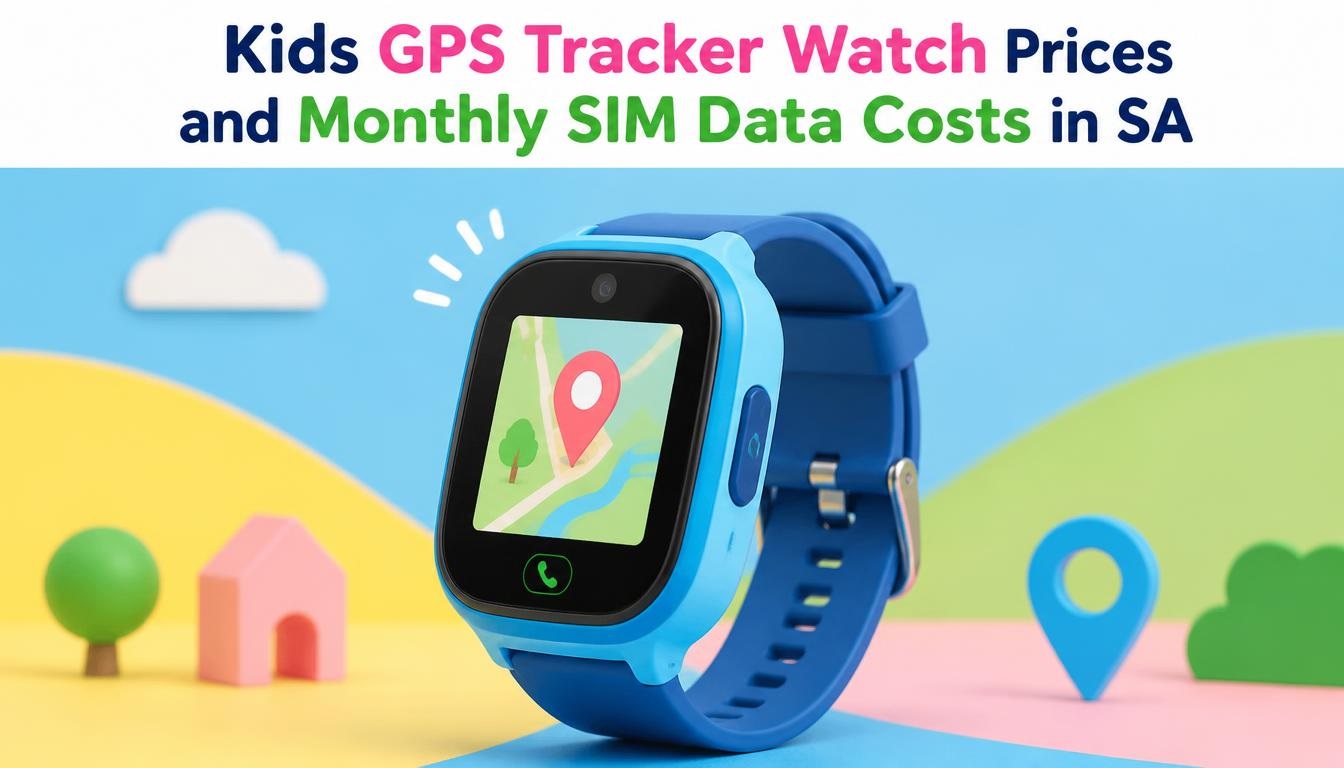
Buying a kids GPS tracker watch in South Africa can feel like walking through a tech landmine. You buy a budget device on Takealot for R400, pop in a Vodacom pre-paid SIM card, and within 48 hours, the device goes completely offline, your airtime vanishes, and you are left with a stressed child and a useless piece of plastic.
If you are trying to keep your child safe while balancing a household budget in SA, understanding the real cost of ownership—which includes hardware, network data consumption, and local network quirks—is non-negotiable.
Here is an exhaustive, real-world breakdown of what kids’ GPS watches cost, how to keep monthly SIM data expenses under control, and how to avoid the hidden traps that catch thousands of South African parents off guard every year.
Kids’ GPS watches sold in South Africa fall into three primary price categories: budget generic trackers, mid-range cellular brands, and premium dedicated safety wearables.
-
Budget Generic Trackers (R250 – R650): Popular examples include Q12, Q19, and generic “Y95” models found on Takealot or Makro. Most rely on legacy 2G networks. While cheap, 2G tower coverage across South Africa is actively being scaled down by major operators to reallocate spectrum. Furthermore, location triangulation on these relies heavily on LBS (Cell Towers) rather than true satellite GPS, meaning location errors can range from 100 meters to 2 kilometers.
-
Mid-Range Standard 4G Watches (R800 – R1,800): Models like Wonlex 4G and SeTracker2-compatible devices feature true satellite GPS tracking, Wi-Fi location assist, two-way VoLTE calling, and HD video calls. This represents the sweet spot for most parents in SA, offering stable connectivity on Vodacom, MTN, Telkom, and Cell C.
-
Premium Safety Wearables (R2,000 – R4,500+): Premium choices like the Garmin Bounce or Apple Watch SE (Cellular via Family Setup) offer exceptional build quality, water resistance (IP68), and accurate geofencing alerts. However, they require a higher upfront investment and specific post-paid cellular profiles or ecosystem setups.
2. Kids GPS Tracker Watch Pricing & Features Comparison
To help you compare features across price points, the table below outlines the core specs, expected accuracy, and network requirements for the South African market:
| Feature / Tier | Budget Tier (R250 – R650) | Mid-Range Tier (R800 – R1,800) | Premium Tier (R2,000 – R4,500+) |
| Network Tech | 2G GSM / EDGE | 4G LTE / VoLTE | 4G LTE / Wi-Fi / Bluetooth |
| Location Tracking | LBS Cell Towers (High margin of error) | Real GPS + Wi-Fi Positioning + LBS | Multi-constellation GPS + Wi-Fi Assist |
| Location Accuracy | 100m – 2000m | 5m – 50m | 2m – 10m |
| Voice/Video Calls | Low-quality 2G Voice only | HD 4G Voice & Video Calls | Crystal Clear VoLTE & Encrypted Calls |
| Water Resistance | Splash proof only (IP65 or lower) | IP67 (Short immersion) | IP68 / 50m Water Resistant |
| Battery Life | 12–24 Hours | 24–48 Hours | 24–72 Hours |
| Best Local SIM Match | Vodacom / MTN Prepaid | Telkom / Vodacom / MTN 4G Data Bundles | Vodacom / MTN SmartSIM or Contract |
3. The True Cost of Data: How Much Data Does a Kids Smartwatch Use?
A common myth among parents is that a GPS tracker watch consumes gigabytes of data every month. In reality, background GPS pinging uses very little data.
-
GPS Background Location Pings: When set to update every 10 minutes, the watch uses roughly 1MB to 2MB per day (about 30MB – 60MB per month).
-
Voice Messaging / Audio Notes: Short 5-second voice notes between the watch and the mobile app use approximately 10MB to 30MB per month.
-
4G Video Calls: Video calls consume data quickly. A 2-minute 4G video call eats up around 15MB to 25MB. Regular daily video calling can easily push consumption over 500MB per month.
Key Rule of Thumb: If you stick to location tracking and voice notes, a 150MB to 300MB monthly bundle is more than enough. If you plan to make frequent video calls, budget for 500MB to 1GB per month.
4. SA Network Provider Comparison: Vodacom, MTN, Telkom & Cell C
Choosing the right mobile operator for a kids’ smartwatch in South Africa comes down to three factors: 2G/4G coverage quality, out-of-bundle rate protection, and bundle expiry rules.
Network Breakdown for Smartwatches
-
Telkom Mobile (Best Value): Costs around R29 – R45 per month for 250MB – 500MB data. Telkom provides some of the lowest micro-bundle prices in SA, though coverage can be less consistent in deep rural areas.
-
Vodacom (Best Reliability & Coverage): Costs around R35 – R69 per month for 200MB – 500MB 30-day bundles. Offers reliable coverage across suburban and rural areas. You must enable Out-of-Bundle (OOB) blocking via the MyVodacom App to prevent extra charges.
-
MTN (Best Urban Speed): Costs around R35 – R65 per month for 200MB – 500MB data. Delivers fast connection times for video calls in major metros (Gauteng, Cape Town, Durban).
-
Cell C: Costs around R30 – R55 per month. Competitive pricing, but network switching on partner towers can occasionally cause temporary connection drops on legacy devices.
5. Network Provider Pricing Comparison Table
Here is a side-by-side cost breakdown of typical monthly running costs across South Africa’s major mobile networks:
| Network Operator | Recommended Monthly Data Bundle | Estimated Monthly Data Cost (ZAR) | Recommended Airtime for Voice (ZAR) | Total Estimated Monthly Running Cost |
| Vodacom | 250MB – 500MB (30 Days) | R35 – R69 | R25 (Emergency Airtime) | R60 – R94 / month |
| MTN | 200MB – 500MB (30 Days) | R35 – R65 | R25 (Emergency Airtime) | R60 – R90 / month |
| Telkom Mobile | 350MB – 500MB (30 Days) | R29 – R49 | R20 (Emergency Airtime) | R49 – R69 / month |
| Cell C | 250MB – 500MB (30 Days) | R30 – R55 | R20 (Emergency Airtime) | R50 – R75 / month |
Setting up a kids’ GPS watch in South Africa involves a few subtle technical quirks that often frustrate parents. Here are five real-world problems and how to solve them:
Pitfall 1: The “Offline” Status Bug (APN Settings)
You pop in a working SIM card with airtime and data, but the tracking app (like SeTracker2) displays “Device Offline”. This happens because imported budget watches do not automatically configure South African network APN (Access Point Name) settings.
-
The Fix: Send an SMS command directly from your personal mobile phone to the phone number inside the child’s watch:
-
Vodacom APN SMS string:
pw,123456,apn,internet,,,65501# -
MTN APN SMS string:
pw,123456,apn,internet,,,65510# -
Telkom APN SMS string:
pw,123456,apn,internet,,,65502#
-
Pitfall 2: SIM Card PIN Code Lock
If you insert a brand-new SIM card into the watch without disabling the PIN code first, the watch will fail to register on the network.
-
The Fix: Put the SIM card into your smartphone first, navigate to Settings > Security > SIM Lock, switch the PIN requirement to OFF, then place the SIM back into the watch.
Pitfall 3: The 2G Network Sunset
Buying an old 2G-only watch might seem budget-friendly, but local network operators are phasing out 2G spectrum.
-
The Fix: Always confirm that the device specifications explicitly state “4G LTE Supported”.
Pitfall 4: RICA Registration Requirements
Every SIM card in South Africa must be legally registered under RICA with valid ID and proof of residence.
-
The Fix: Make sure the watch SIM is RICA’d under your name. If an inactive SIM sits idle for over 90 days, the network may recycle the number, causing the device to lose connectivity suddenly.
Pitfall 5: Battery Drain Caused by Frequent Pinging
If the watch battery drains completely by mid-afternoon, aggressive tracking intervals are usually the cause.
-
The Fix: Open your companion app and change the Location Upload Mode from 1 Minute (Emergency Mode) to 10 Minutes or 1 Hour (Normal/Power Saver Mode) to extend battery life.
7. Step-by-Step Setup Guide for SA Parents
-
RICA & Activate the SIM: Purchase a micro/nano Prepaid SIM from Vodacom, MTN, or Telkom, and complete RICA registration.
-
Remove the SIM PIN: Insert the SIM into a mobile phone and disable the SIM PIN lock in settings.
-
Load Data & Airtime: Add a small 30-day data bundle (e.g., 250MB) alongside R20–R30 regular airtime.
-
Test Connection: Turn off Wi-Fi on your phone while the SIM is inside to verify that mobile data loads pages correctly.
-
Power Off Smartwatch: Turn off the watch completely before inserting the SIM card into the slot.
-
Insert SIM & Power On: Insert the SIM card in the correct orientation and turn the device back on.
-
Verify Network Signal: Wait 1–2 minutes for cellular signal bars and data icons to appear on the watch screen.
-
Pair with App: Open the designated app (e.g., SeTracker2), scan the REG Code QR label on the back of the device, and configure your administrator password.
Interactive Parent Community Discussion
If you are currently using a kids’ GPS tracker watch in South Africa, sharing your experience helps other parents make informed choices!
-
Which brand or model of GPS watch is your child currently wearing?
-
Which mobile network (Vodacom, MTN, Telkom, or Cell C) has offered the best coverage around your child’s school or neighborhood?
-
Have you encountered any setup bugs or coverage dead zones?
Leave your tips, questions, or troubleshooting advice in the comments section below!

Joseph Mathebula is a consumer tech analyst and market researcher at Prices in South Africa. He specializes in tracking smartphone prices and consumer electronics, helping everyday shoppers navigate the market to secure the best value.