If you have ever caught yourself slumping over a desk at 3:00 PM during a grueling workday in Johannesburg or Cape Town, you know the feeling. The dull ache in your upper back, the tension climbing up into your neck, and that sudden realization that you are sitting like a pretzel.
As someone who spends 8 to 10 hours daily hunched over a laptop evaluating bio-tech and ergonomic hardware in South Africa, I have spent years testing physical therapy gear, biofeedback sensors, and wearable posture trainers. I have felt the phantom buzzes, dealt with skin irritation from cheap adhesives, and endured the uncomfortable armpit chafing of poorly designed physical harnesses.
The South African market for wearable health tech has exploded in 2026. However, prices range wildly—from R150 cheap import sensors on online marketplaces to R3,500+ clinical-grade biofeedback devices imported from overseas.
This comprehensive review breaks down actual retail prices in South African Rand (ZAR), analyzes real-world performance, compares hidden ownership costs, and helps you decide which ergonomic investment is worth your hard-earned money.
The True Cost of Smart Posture Technology in South Africa
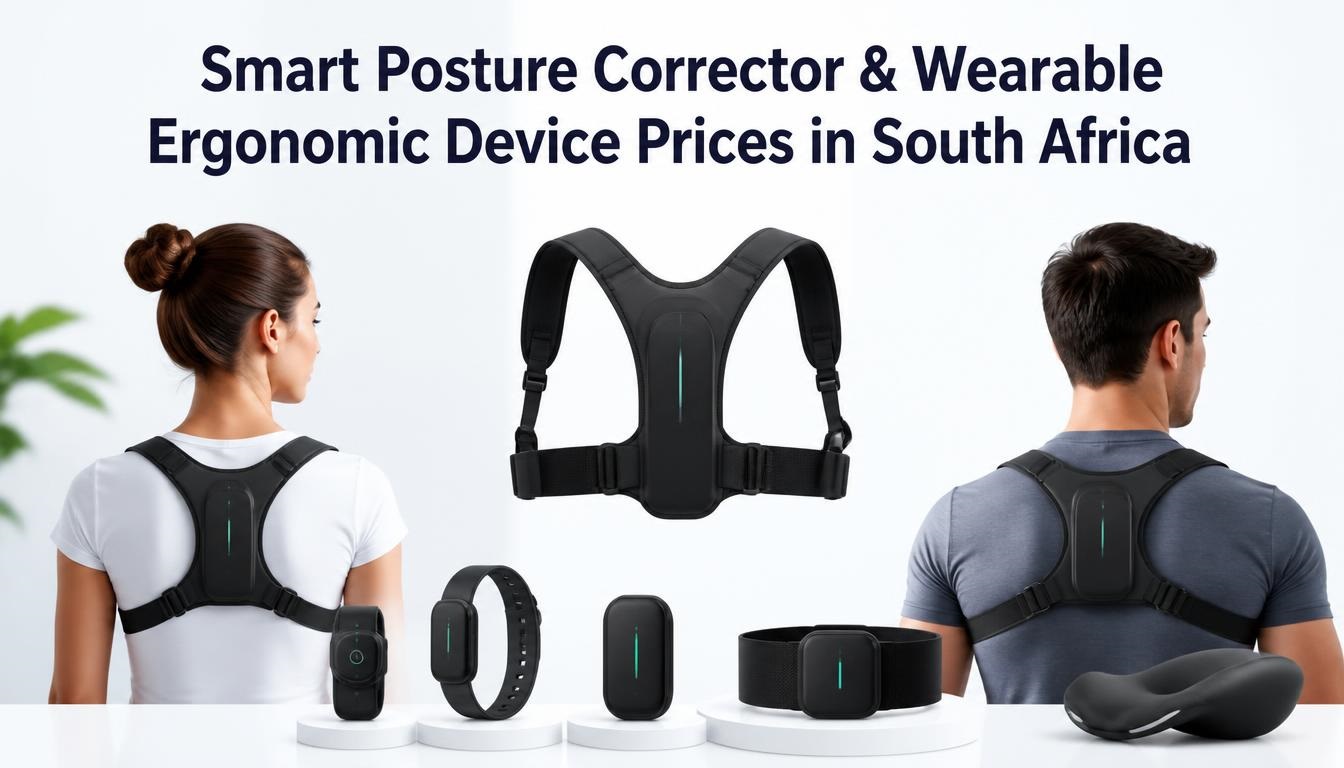
Before diving into specific models, it helps to understand how the local market structures these pricing tiers. In South Africa, wearable posture devices fall into three distinct price bands based on tech, build quality, and app integration:
-
Entry-Level (R150 – R450): Basic vibration clips and simple tilt sensors.
-
Mid-Range (R500 – R1,200): App-connected hybrid harnesses combining physical straps with sensors.
-
Premium Clinical (R1,500 – R3,500+): Advanced biofeedback sensors with dedicated daily tracking apps.
1. Entry-Level Smart Sensors (R150 to R450)
These budget-friendly gadgets rely on basic internal gyroscopes or angle-tilt sensors. When your spine bends forward beyond a preset angle (usually 25°), the unit vibrates to prompt you to sit upright.
-
Where to buy: Takealot, Bob Shop, local discount pharmacies.
-
Pros: Low barrier to entry, rechargeable via USB, no app required.
-
Cons: High rate of false positives (vibrates when bending over to grab water), limited durability, basic build quality.
2. Mid-Range Hybrid Harnesses (R500 to R1,200)
These devices combine traditional physical support straps with integrated smart motion sensors. They offer both physical resistance against slouching and real-time vibration feedback.
-
Where to buy: Takealot, Makro online, select sports/wellness outlets.
-
Pros: Physical structural support, decent battery life, better sensor accuracy.
-
Cons: Can be warm to wear under South African summer clothes, visible under light shirts, potential armpit restriction.
These high-end devices stick directly to your upper back (via hypoallergenic adhesives or magnetic silicone necklaces). They sync with dedicated iOS and Android apps to track daily posture, offer custom training plans, and analyze tracking metrics over time.
-
Where to buy: Specialized tech importers, Amazon South Africa, specialized ergonomic suppliers.
-
Pros: Highly accurate, invisible under clothing, customized training programs, comprehensive data tracking.
-
Cons: Expensive initial purchase, ongoing cost for replacement adhesive patches.
South Africa Pricing Matrix: Popular Wearables Compared
To give you an immediate snapshot of the local market, here is a clear breakdown of prices, battery specs, and overall performance across South African retail channels.
| Device Model & Category | Estimated Price (ZAR) | Wear Style | App Integration? | Battery Life | Best For |
| Generic Smart Sensor | R150 – R300 | Back Clip / Strap | No (LCD / Vibration) | 3 – 5 Days | Budget buyers testing vibration feedback |
| Orthofit / Clicks Posture Brace | R300 – R450 | Physical Strap Harness | No (Traditional support) | N/A (Mechanical) | Basic physical strap support without electronics |
| Intelligent LCD Posture Corrector | R350 – R600 | Y-Strap Harness | No (Digital Counter) | 5 – 7 Days | Kids, teens, and desk workers needing count metrics |
| Upright GO 2 / Go S (Import) | R1,800 – R2,800 | Adhesive Patch / Necklace | Yes (iOS & Android) | 30 Hours active | Professionals wanting sleek, invisible daily habit tracking |
| Smart Ergonomic Cushion / Mat | R850 – R1,600 | Chair Pad | Yes / Custom App | Rechargeable / Mains | Desk workers who dislike wearing sensors |
Detailed Reviews & Hands-On Analysis
1. Generic Smart Sensor Devices (R150 – R300)
If you browse Takealot or Bob Shop, you will see dozens of unbranded smart posture correctors. These lightweight plastic pods sit between your shoulder blades using simple elastic straps.
-
My Hands-On Experience: When I tested a generic R200 sensor, it worked surprisingly well for sitting completely static at a desk. However, as soon as I leaned forward to pick up a phone or reach for coffee, the sensor triggered a vibration false positive.
-
The Verdict: Great as a low-cost trial to see if biofeedback nudges help you consciously sit straighter. Just temper your expectations regarding long-term durability and strap material comfort.
2. Intelligent LCD Posture Correctors (R350 – R600)
An upgrade from basic sensors, these feature an integrated digital display that tracks how many times you slouch during a workday.
-
My Hands-On Experience: The built-in counter adds an effective gamification element. Seeing a visual count of “42 slouched moments” by lunchtime provides a strong incentive to adjust your desk arrangement. The physical straps keep the sensor aligned, making it more reliable than standalone clip-ons.
-
The Verdict: Excellent value for desk workers who need a visual reminder and light physical support without spending thousands on imported brands.
3. Upright GO 2 & Go S (R1,800 – R2,800)
The Upright GO series remains the gold standard in premium posture tech worldwide. It attaches directly to your upper back using medical-grade reusable silicone adhesives or a sleek, specialized necklace accessory.
-
My Hands-On Experience: The difference in sensor calibration is immediately obvious. The Upright GO app lets you set custom vibration sensitivity and delay thresholds. Instead of buzzing the moment you drop an inch, it waits until you maintain poor alignment for 5 to 10 seconds. The tracking mode logs your alignment without buzzing, giving you an honest look at your daily habit baseline.
-
Hidden Costs: The device uses reusable sticky pads. In South Africa’s warm climate, skin oils cut adhesive lifespans down to about 3–5 days per pad. A replacement pack of adhesive strips costs between R250 and R400, making the silicone necklace attachment a much smarter long-term purchase.
Real Human Ergonomic Insights: Why Technology Alone Won’t Fix Your Back
A common mistake people make is treating a smart posture corrector like a magic cure. They strap it on, turn on the vibration, and expect years of habituated slouching to disappear overnight.
The Ergonomic Recovery Framework
Sustainable posture improvement requires a three-part approach:
Smart Biofeedback: Real-time vibration & sensor reminders to build conscious habit awareness.
Active Strengthening: Target exercises for your core, rhomboids, and lower trapezius.
Desk Ergonomics: Correct monitor height, armrest positioning, and pelvic/lumbar support.
The “Muscle Laziness” Trap
If you wear a rigid, non-smart physical harness for 8 hours a day, your core and upper back muscles stop working. The brace supports your weight, causing postural muscles (like the rhomboids and lower trapezius) to gradually weaken.
Smart posture correctors avoid this trap because they do not carry your weight. They rely on active muscle engagement by using biofeedback to remind your muscles to do the work.
Essential Ergonomic Checklist to Pair with Your Device
To get real relief from back strain, pair your smart sensor with these core desk adjustments:
-
Monitor Height: Ensure the top third of your computer screen aligns with your eye level. If you are looking down at a laptop, no smart corrector will prevent neck strain.
-
Elbow Positioning: Keep your elbows bent at a 90 to 100-degree angle, resting comfortably on armrests to take pressure off your upper back.
-
Feet Flat on the Floor: Keep your feet flat or use a footrest. Unstable foot placement tilts your pelvis backward, forcing your spine to slouch automatically.
-
The 30-Minute Micro-Break: No wearable can counter sitting motionless for hours. Stand up and stretch every 30 minutes, regardless of what your sensor reports.
Smart Posture Devices vs. Traditional Back Support Braces
| Feature | Smart Electronic Corrector | Traditional Physical Harness |
| How It Works | Biofeedback vibration reminders | Mechanical resistance and pull |
| Muscle Engagement | High (Trains muscles actively) | Low (Passively holds posture) |
| Wearability | Compact, discreet under light shirts | Bulky, can chafe under arms |
| Long-Term Result | Builds permanent habit memory | Risk of muscle weakening over time |
| Price Point | R150 – R2,800+ | R150 – R450 |
Local Buying Guide: Where to Buy in South Africa & What to Watch For
When shopping for an ergonomic wearable in South Africa, consider these practical factors before clicking buy:
1. Local Stock vs. Import Delays
Buying directly from overseas stores can trigger unexpected custom clearance fees, import duties, and steep DHL/FedEx shipping charges. Look for local stockists on Takealot, Bob Shop, or specialized local ergonomic shops to avoid surprise costs at customs.
2. Warranty and Return Policies
Electronic sensors can fail—especially budget models exposed to daily sweat or skin oils. Ensure your vendor offers at least a 6-month to 1-year local warranty with a straightforward exchange process.
3. Mobile App Compatibility
If you opt for a Bluetooth smart device, verify that the companion app is available on both the South African Google Play Store and Apple App Store. Certain niche import brands use regional app locks that make companion software unavailable in South Africa.
Final Verdict: Is a Smart Posture Corrector Worth Your Money?
If you struggle with daily desk fatigue and slouching, a smart biofeedback corrector is worth the investment—provided you treat it as a training tool rather than a quick fix.
-
Best Budget Choice: If you want to experiment without spending much, an Intelligent LCD Posture Corrector (R350 – R500) offers the best mix of tracking and structural feedback.
-
Best Overall Experience: If you want a sleek, invisible daily habit trainer, an Upright GO 2 or GO S with a silicone necklace accessory (R1,800 – R2,800) delivers unmatched precision and detailed tracking app data.
To build a useful resource for South Africans tackling desk posture fatigue, we would love to hear your hands-on feedback.
Join the conversation below by answering one of these quick questions:
-
Have you tried a smart vibration posture device before? Did the vibration prompts actually help you build habit memory, or did you find them annoying after a few hours?
-
If you currently suffer from upper back or neck pain at work, what does your desk setup look like—do you use a laptop stand, an ergonomic chair, or a standing desk converter?
Drop your thoughts, pricing questions, or brand experiences in the comments section below!

Joseph Mathebula is a consumer analyst and market researcher at Prices in South Africa. He specializes in tracking local service costs, retail pricing, and travel budgets, helping everyday shoppers navigate the market to secure the best value.