If you have ever tried working remotely from a coffee shop in Cape Town or surviving Stage 4 loadshedding in Johannesburg, you know the pain: your phone’s hotspot eats your battery alive, drops connections during cell tower handoffs, and throttles your speed the moment a second device joins.
Locking yourself into a 24-month or 36-month contract with Vodacom, MTN, or Telkom just to get a pocket router is rarely worth it. Between steep cancellation penalties and network lock-in, contract MiFi devices quickly become expensive paperweights if you move to an area with poor signal for that specific operator.
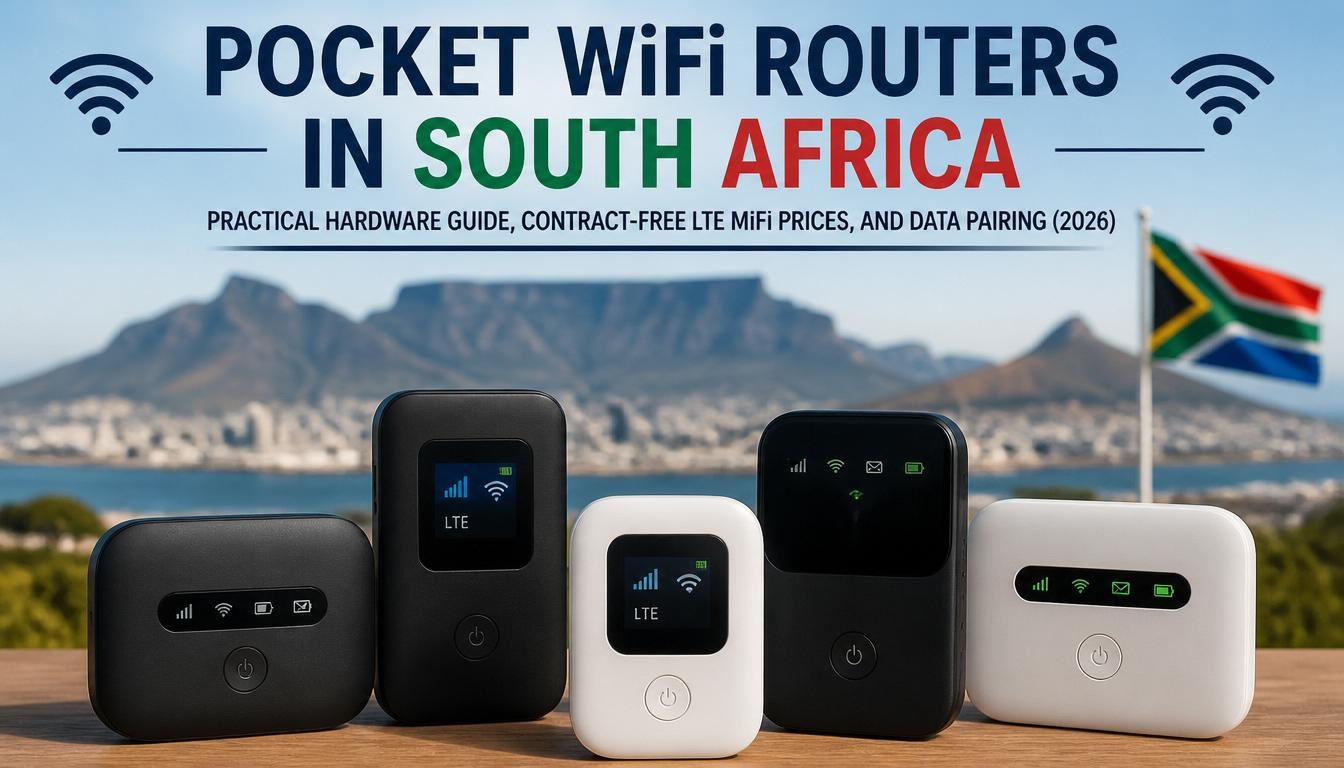
Buying an unlocked LTE MiFi device outright and pairing it with a month-to-month SIM card gives you full control over your hardware, costs, and provider. Here is a field-tested breakdown of the top pocket WiFi routers in South Africa, including real-world prices, network performance, and optimal data plans.
1. Top Unlocked LTE MiFi Routers in South Africa
Buying cash lets you swap SIM cards instantly when traveling between urban hubs and rural regions. Here is how the most popular standalone LTE pocket routers stack up across South African retailers like Takealot, Incredible Connection, and specialized tech outlets:
| Device Model | LTE Category | Peak Speed (Down/Up) | Battery Capacity | Approx. Cash Price (ZAR) | Key Features & Best Use Case |
| ZTE U10 Pro / MF927U | Cat 4 | 150 Mbps / 50 Mbps | 2,000–3,000 mAh | R550 – R750 | Entry-level budget pick. Ideal for light browsing, WhatsApp, and single-user backup during loadshedding. |
| Huawei E5576-320 / E5586 | Cat 4 | 150 Mbps / 50 Mbps | 1,500–2,400 mAh | R650 – R950 | Compact, reliable build. Features solid thermal management and clean app configuration via Huawei AI Life. |
| TP-Link M7200 / M7000 | Cat 4 | 150 Mbps / 50 Mbps | 2,000 mAh | R700 – R900 | High compatibility across all MNOs (Vodacom, MTN, Telkom, Cell C). Management via the tpMiFi app. |
| TP-Link M7350 | Cat 4 | 150 Mbps / 50 Mbps | 2,000 mAh | R1,100 – R1,400 | Built-in screen display for real-time data usage tracking, battery monitoring, and SMS viewing. |
| TP-Link M7450 / M7650 | Cat 6 / Cat 11 | 300–600 Mbps | 3,000 mAh | R2,200 – R3,200 | Carrier aggregation support. Excellent for high-speed remote work, multi-device streaming, and weak-signal areas. |
| ZTE U20 / Cat 7 Mobile | Cat 7 | 300 Mbps / 100 Mbps | 3,000 mAh | R1,200 – R1,600 | Mid-range performance sweet spot. Faster dual-band connectivity for up to 32 concurrent devices. |
2. Technical Hardware Breakdown: What Actually Matters
Category 4 vs. Category 6+ (Carrier Aggregation)
-
Category 4 (Cat 4): Connects to a single LTE frequency band at a time. While advertised at 150 Mbps, real-world speeds in congested South African suburbs typically average 10 Mbps to 35 Mbps. Fine for standard remote work, HD video calls, and casual streaming.
-
Category 6+ (Cat 6 / Cat 11 / Cat 7): Uses Carrier Aggregation (CA) to combine two or more frequency bands simultaneously (e.g., combining 1800 MHz and 2100 MHz on MTN or Vodacom). This dramatically improves speed stability during peak hours, often delivering 40 Mbps to 120+ Mbps on congested towers.
Frequency Band Support for South African Networks
To ensure seamless performance, make sure your device explicitly supports South Africa’s primary 4G LTE bands:
-
Band 3 (1800 MHz): Standard primary frequency used nationwide across Vodacom, MTN, Telkom, and Cell C.
-
Band 1 (2100 MHz): Deployed heavily for urban capacity.
-
Band 8 (900 MHz) & Band 20 (800 MHz): Low-frequency bands critical for deep indoor coverage and long-range rural penetration.
-
Band 40 (2300 MHz) & Band 41 (2500 MHz): TDD bands heavily utilized by Telkom and Rain for high-capacity LTE-Advanced connections.
Thermal Throttling & Battery Realities
Small pocket routers generate heat when routing data to multiple devices. Budget Cat 4 devices can suffer thermal throttling under heavy loads, dropping speeds to protect internal components.
-
A standard 2,000 mAh battery delivers 5 to 7 hours of continuous active use.
-
Larger 3,000 mAh batteries last 10 to 12 hours, making them far better suited to survive extended power outages.
Pro Tip: Never leave a MiFi router plugged into a charger 24/7 on your desk. Overheating combined with continuous charging degrades lithium-ion batteries rapidly, leading to battery swelling within 6 to 12 months. If you need permanent home internet, opt for a mains-powered Fixed-LTE router instead.
3. Pairing Your Device: Month-to-Month Data Packages
To keep your connection contract-free, pair your unlocked router with month-to-month Prepaid, Fixed-LTE (SIM-Only), or MVNO data packages.
| Provider / Channel | Package Type | Average Cost (ZAR) | Best For | Technical Notes |
| Afrihost (Pure LTE via MTN / Telkom) | Uncapped / Capped (Month-to-Month) | R319 – R639 / month | Remote workers needing high volume without contracts. | Requires a location check for Fixed-LTE SIMs. Soft caps/FUP apply on uncapped profiles. |
| Vox / Axxess (Fixed-LTE SIM Only) | Capped / Uncapped | R125 – R599 / month | High-speed home backup internet. | Fixed-LTE SIMs are often tower-locked; ensure mobility is supported if traveling. |
| Capitec Connect / Standard Bank Mobile | MVNO Prepaid Data | R30 – R45 per GB | Light occasional use & digital nomads. | Data does not expire quickly (or at all on select plans), making it cost-effective for backup-only SIMs. |
| Telkom Prepaid LTE | Capped Bundles (e.g., 22.5GB + 22.5GB Night) | ~R149 – R199 once-off | Budget-conscious users in strong Telkom 4G areas. | Night Surfer data is restricted to 00:00 – 07:00. Network coverage drops off in outer rural nodes. |
4. Troubleshooting Common SA MiFi Issues
-
APN Configuration Errors: If your router shows a strong cell signal but displays “No Internet,” the Access Point Name (APN) is misconfigured.
-
Vodacom: Set APN to
internetorlte.vodacom.za. -
MTN: Set APN to
internetorafrihost(if using Afrihost Pure LTE). -
Telkom: Set APN to
internetorpentagon.
-
-
RICA Activation Delays: Always complete RICA registration at purchase. SIM activation can take between 2 and 24 hours. Keep the SIM in a smartphone initially until you receive the welcome SMS before transferring it to your MiFi router.
-
Tower Congestion During Power Outages: When grid power fails, nearby mobile towers often get overloaded as everyone’s home fibre drops offline. Switching your MiFi network mode manually from “Auto” to “3G Only” or locking to a less-congested band via the router’s web admin portal (
192.168.8.1or192.168.0.1) can yield a slower, but far more stable connection.
Community Discussion
Which pocket router setup are you currently running for loadshedding backup or remote work? Have you noticed significant speed differences between Cat 4 and Cat 6 devices on your local network towers? Share your experiences, speed test results, or APN tips in the comments below!

Joseph Mathebula is a consumer analyst and market researcher at Prices in South Africa. He specializes in tracking local service costs, retail pricing, and travel budgets, helping everyday shoppers navigate the market to secure the best value.