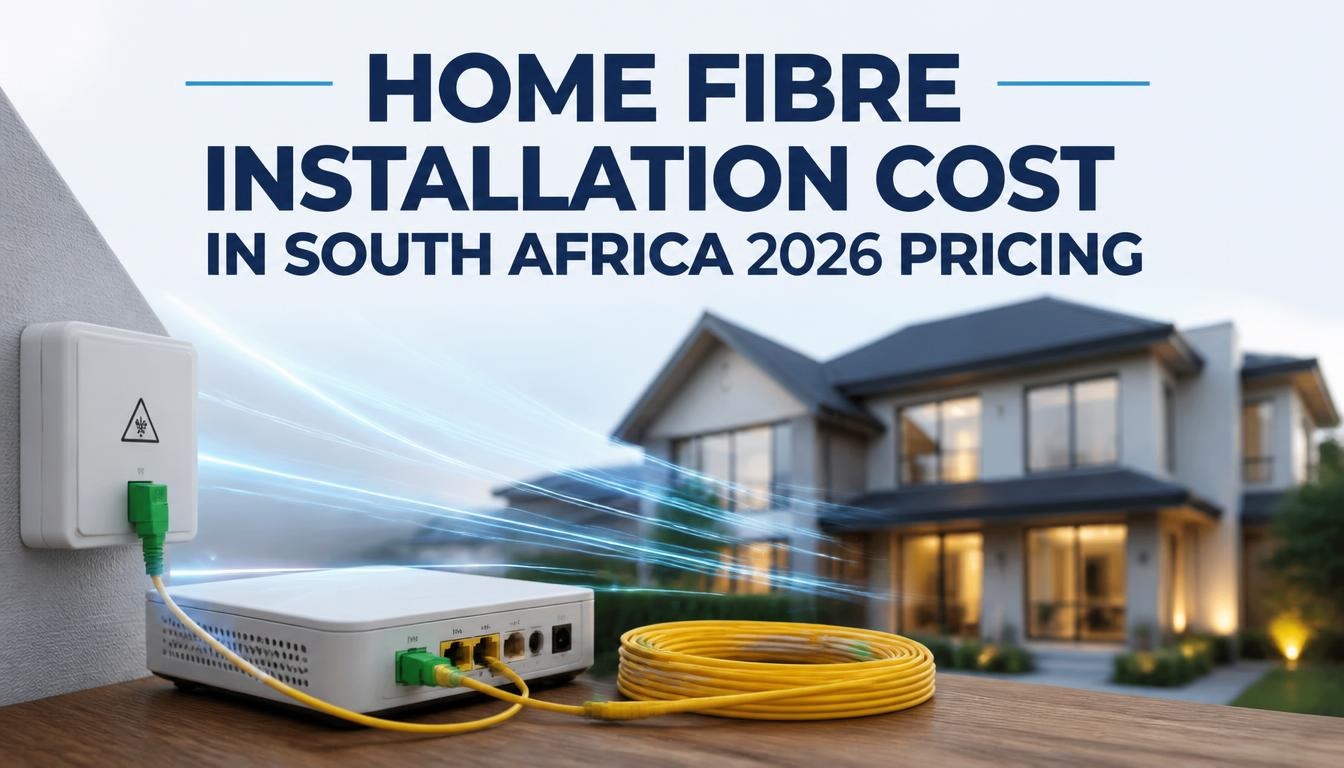
Navigating home fiber optic installation in South Africa has become a high-stakes financial puzzle for households desperate to break free from unreliable mobile LTE connections during Eskom power outages. While every major Internet Service Provider advertises “Free Installation and Free Router,” South African consumers frequently find themselves blindsided by hidden activation charges, early cancellation clawback penalties ranging from R1,500 to R3,000, and exorbitant line-trenching surcharges when cabling extends beyond the standard 30-metre property boundary. In a retail environment shaped by fluctuating wholesale network tariffs, aggressive ISP promotions, and necessary secondary investments like mini-UPS power backups to withstand loadshedding, calculating the true out-of-pocket cost of getting connected requires looking far beyond the glossy headline monthly rate. This independent pricing guide evaluates real-time market data across all major Fibre Network Operators (FNOs) and Internet Service Providers (ISPs), unpacking exact once-off installation fees, monthly subscription brackets, hidden property-access expenses, and hardware requirements to help you secure the best internet value for your budget.
At a Glance: ZAR Home Fibre Price Breakdown
-
Once-Off Base Installation Fee: R0 (Promotional ISP Subsidised) to R2,850 (Unsubsidised / Standard FNO Rate).
-
Once-Off Activation Fee: R0 to R999 depending on the network and whether you are migrating an existing line.
-
Entry-Level Packages (15 Mbps – 30 Mbps): R319 pm to R549 pm.
-
Mid-Tier Family Packages (50 Mbps – 100 Mbps): R697 pm to R897 pm.
-
High-Speed & Power User Packages (200 Mbps – 1 Gbps): R1,197 pm to R1,899 pm.
-
Unforeseen Hardware Expenses: R700 to R1,800 for a Mini-UPS unit (Takealot / Incredible Connection) to power the Optical Network Terminal (ONT) and router during power outages.
Deconstructing the South African Fibre Ecosystem: FNO vs ISP
To understand why home fibre optic installation pricing varies so dramatically across South African suburbs, you must first understand the structural split between the infrastructure builder and the service seller.
-
Fibre Network Operators (FNOs): Companies such as Vumatel, Openserve, Frogfoot, MetroFibre, Octotel, and Evotel own and maintain the physical optical fiber cables laid underground or strung along utility poles outside your home. They charge a wholesale access fee to connect your premises from the street boundary wall to an interior junction box.
-
Internet Service Providers (ISPs): Companies including Afrihost, Webafrica, Cool Ideas, MWEB, Rain, and Cell C rent access from the FNO to deliver uncapped data, manage customer support, and supply your home Wi-Fi router.
Because FNOs hold localized monopolies in specific neighbourhoods, your home’s physical location dictates which network operator you must use. However, ISPs compete aggressively for your business on top of that infrastructure, frequently swallowing the physical installation and router costs on the condition that you remain connected for a minimum period.
Full FNO & ISP Installation & Package Price Matrix
The following comprehensive comparison table outlines standard once-off installation charges, activation fees, monthly package price ranges, and value ratings across major South African network partnerships.
| Network Operator (FNO) | Key Retail Partners (ISPs) | Standard Installation Fee (Unsubsidised) | Average Activation Fee | Entry Package (20-30 Mbps) | Mid Package (50-100 Mbps) | Top Package (200-1000 Mbps) | Value & Reliability Rating |
| Openserve | Afrihost, MWEB, Webafrica | R1,725 – R2,300 (Free on Promo) | R0 – R575 | R429 – R497 pm | R697 – R897 pm | R1,197 – R1,497 pm | 9.2 / 10 (Highest Uptime) |
| Vumatel (Core) | Cool Ideas, Afrihost, Webafrica | R1,725 – R2,875 (Free on Promo) | R0 – R999 | R519 – R539 pm | R830 – R1,024 pm | R1,220 – R1,799 pm | 8.8 / 10 (Fast Deployment) |
| Vuma Reach | Webafrica, Afrihost, Cell C | R862 – R1,150 (Free on Promo) | R0 – R249 | R319 – R399 pm | R529 – R649 pm | N/A (Max 100 Mbps) | 8.5 / 10 (Budget Champion) |
| Frogfoot | Cool Ideas, MWEB, Afrihost | R1,725 – R2,242 (Free on Promo) | R0 – R999 (Migration Fees apply) | R449 – R529 pm | R749 – R897 pm | R1,197 – R1,649 pm | 8.1 / 10 (Good Coverage) |
| MetroFibre | Afrihost, Webafrica, MWEB | R1,725 – R2,500 (Free on Promo) | R0 – R575 | R399 – R489 pm | R699 – R849 pm | R1,149 – R1,599 pm | 8.6 / 10 (Symmetrical Lines) |
| Octotel | Cool Ideas, Webafrica, MWEB | R1,725 – R2,300 (Free on Promo) | R0 – R249 | R439 – R519 pm | R729 – R899 pm | R1,199 – R1,549 pm | 8.9 / 10 (Western Cape Top) |
See also Central Johannesburg TVET College (CJC) Tuition & Registration Fees and NSFAS Payment Guide
While “Free Setup” is the universal marketing pitch across Takealot banner ads and social media campaigns, real-world installation frequently incurs extra out-of-pocket costs that buyers fail to budget for.
Standard Fibre Installation Journey & Fee Triggers
-
Street Curb & Boundary Box Entry: Covered under standard FNO deployment.
-
Property Trenching (Up to 30 Metres): Free under standard promo installation.
-
Extended Distance Trenching (Past 30 Metres): Surcharges of R15 to R25 per extra metre apply, or R500 to R1,500 for soft-dig lawn restoration.
-
Wall Termination & ONT Box Mounting: Standard setup inside the property.
-
Wi-Fi Router Connection & Service Activation: Configured by the ISP.
1. Extended Distance Cable Trenching (The 30-Metre Limit)
Standard promotional installation packages cover a physical cable run from the street boundary box to your inside wall up to a maximum distance of 30 metres. If your house sits on a large property, has a long driveway, or requires cable routing around paved entertainment areas, contractors will bill you for additional distance:
-
Extra Fiber Cable Trenching: R15.00 to R25.00 per extra metre.
-
Soft-dig (Lawn/Garden): R20.00 per metre.
-
Hard-surface Paving / Concrete Removal & Re-paving: R450.00 to R850.00 per hour of specialized masonry labor.
2. ISP Clawback Clauses and Contractual Fine Print
When an ISP advertises “Free Installation worth R2,500,” they are paying the FNO on your behalf. To recover this investment, ISPs attach a clawback clause to their month-to-month contracts.
-
Clawback Window: Typically 6 to 12 months from activation.
-
Penalty Cost: If you cancel your service, switch ISPs, or move houses within this window, the ISP will automatically debit your bank account for the full pro-rata value of the installation fee (R1,500 to R2,875) plus router delivery fees (R249).
3. Order Processing and Delivery Admin Fees
Even on zero-installation promotions, several top-tier ISPs charge non-refundable administrative setup fees:
-
Order Processing Fee: R249.00 once-off (common with MWEB and Webafrica).
-
Router Courier Delivery Fee: R150.00 to R250.00 if not bundled into the signup deal.
4. Loadshedding and Power Backup Essentials
An Optical Network Terminal (ONT) box installed on your wall requires continuous AC power to convert light signals into Ethernet data. Standard Wi-Fi routers also require external power. During municipal load-reduction or loadshedding, your fibre line goes completely dead unless powered locally.
-
Dedicated Dual-Output Mini-UPS (12V/9V LiFePO4): R799.00 to R1,299.00 at Takealot, Builders Warehouse, or Makro.
-
Smart Power Station / Inverter Connection: R2,500.00 to R5,000.00 for extended multi-device backup.
Step-by-Step Buyer’s Decision Framework Before Ordering
Follow this structured procedural framework before signing any digital application form to ensure you do not overpay or get trapped in an expensive service agreement.
Step 1: Conduct an Address & Coverage Audit Across FNO Boundaries
Never assume you are limited to a single ISP. Search your physical home address on an open-access coverage aggregator (like Afrihost or Webafrica coverage maps) to identify every FNO deployed along your street. If your property has access to both Openserve and Vumatel, compare their base line speeds; Openserve often offers cheaper entry-level symmetrical packages, whereas Vumatel provides wider ultra-high-speed coverage.
Step 2: Calculate True Household Bandwidth Requirements
Selecting an unnecessarily fast line speed is the most common cause of monthly budget bloat. Use this allocation benchmark:
-
15 Mbps to 30 Mbps (Single/Couple Household): Perfect for 4K Netflix streaming on one TV, high-definition Zoom calls, and basic web browsing.
-
50 Mbps to 100 Mbps (Standard Family Household 3-5 People): Ideal for concurrent multi-screen 4K streaming, online cloud gaming (PlayStation/Xbox), and daily work-from-home remote desktop connections.
-
200 Mbps to 1,000 Mbps (Power Users & Content Creators): Required for massive game installations (100GB+ downloads), live Twitch/YouTube 4K broadcasting, and heavy local server hosting.
Step 3: Evaluate Free-to-Use Router Specs vs Mesh Upgrade Needs
Most ISPs supply a basic “Free-to-Use” AC1200 or Wi-Fi 6 dual-band router valued at approximately R999.00. However, standard South African residential construction—characterized by thick internal double-brick and plaster walls—drastically degrades wireless signals beyond a 10-metre radius.
-
Small Apartment / Flat: Standard included ISP router is sufficient.
-
Medium-to-Large Family Home: Budget R1,800.00 to R3,500.00 for a multi-node Mesh Wi-Fi system (such as TP-Link Deco X20 or Mercado options) to eliminate dead zones without running messy ethernet cables through your ceiling.
Step 4: Audit Contract Terms, Cancellation Windows, and Migration Policies
Prioritize ISPs offering month-to-month contracts with standard 30-day notice periods over long-term fixed contracts. Ensure the terms state that the router is “Free-to-Use” (meaning returned upon cancellation) rather than purchased on a forced 24-month payment scheme that leaves you owing thousands if you relocate.
Cost vs. Performance Speed Tier Breakdown
The matrix below maps out budget brackets against real-world performance expectations to help you evaluate the “Worth It Index” for each tier.
| Speed Tier (Download / Upload) | Typical Monthly Cost Range (ZAR) | Best Suited For | Key Value Features | Worth It Index |
| 10 / 10 Mbps to 20 / 10 Mbps | R319 – R449 pm | Single pensioners, budget-conscious users | Uncapped basic browsing, HD 1080p video streaming | 7.5 / 10 (Slightly restricted for multi-users) |
| 30 / 30 Mbps to 50 / 50 Mbps | R497 – R699 pm | Small families (2-4 devices) | Seamless 4K streaming, simultaneous remote work, stable ping | 9.5 / 10 (The Sweet Spot for most SA homes) |
| 100 / 100 Mbps | R797 – R997 pm | Tech-heavy homes, gamers, remote professionals | Instant downloads, zero buffering across 10+ devices | 9.0 / 10 (Excellent high-demand balance) |
| 200 / 200 Mbps to 500 / 250 Mbps | R1,147 – R1,497 pm | Large households, heavy cloud backup users | Lightning-fast game updates, uncompressed media transfers | 8.0 / 10 (Premium luxury tier) |
| 1000 / 1000 Mbps (Gigabit) | R1,599 – R1,899 pm | Content creators, digital agencies, extreme enthusiasts | Maxes out physical gigabit LAN ports, instant file synchronization | 7.0 / 10 (Niche overkill for average homes) |
Real-World Expert Deal Commentary: “Never purchase a home fibre package solely based on the introductory price advertised on a banner. Many South African ISPs run introductory specials offering line discounts like R399 for the first 2 months before automatically stepping up to the normal R599 rate on month three. Always calculate your total cost over a 12-month period—including once-off activation fees, router delivery costs, and power backup hardware—to determine the true monthly impact on your household budget.”
Frequently Asked Questions About Home Fibre Costs in South Africa
How long does a home fibre installation take from date of order?
If fiber cables are already laid in your street, the physical installation takes 3 to 14 business days depending on the FNO’s technician schedule. The physical technician visit inside your home usually lasts 2 to 4 hours, which involves drilling an entry hole through an outer wall, mounting the ONT box, splicing the fiber strand, and confirming signal strength.
Can I install fibre optic internet myself to save costs?
No. Fiber optic strands are delicate glass fibers that require specialized fusion splicing equipment costing tens of thousands of Rands to connect cleanly. The line up to and including the wall-mounted ONT box is owned and maintained exclusively by the Fibre Network Operator (FNO). You are only responsible for plugging the Wi-Fi router into the ONT unit via a standard Ethernet cable.
What happens to my fibre installation if I move to a new house?
The physical fiber cable and ONT junction box remain permanently attached to the house for the next tenant or owner. When relocating, you must give your ISP 30 days’ notice to cancel or transfer your account. If you move before your ISP’s initial 6- or 12-month clawback period ends, you will be billed a relocation or early cancellation fee to cover the remaining balance of the initial installation subsidy.
Is symmetrical fibre better than asymmetrical fibre?
Yes. Symmetrical fibre provides identical download and upload speeds (e.g., 50 Mbps download and 50 Mbps upload), ensuring fast cloud backups, smooth video conferencing, and quick file attachments. Asymmetrical fibre offers high download speeds with lower upload speeds (e.g., 50 Mbps download and 25 Mbps upload). While asymmetrical lines are slightly cheaper, symmetrical lines offer superior performance for home offices and gaming.
Join the Shopping Discussion
What price are you currently paying for your home fibre line in South Africa, and which network operator do you have installed? Have you experienced hidden trenching charges or early cancellation clawback fees when switching providers? Drop your current speeds, monthly costs, and network reviews below to help fellow South African shoppers make informed decisions!
Important Price Notice & Independent Disclaimer
All pricing figures, monthly tariffs, promotional rates, and installation charges quoted in this buyer’s guide were verified directly from South African FNO and ISP retail schedules as of early 2026 and are quoted in South African Rand (ZAR / R) inclusive of VAT. Telecommunication pricing, promotional discount periods, and wholesale access rates are subject to frequent changes by operators like Vumatel, Openserve, Frogfoot, and partner ISPs without prior notice. This publication operates as an independent pricing review service and maintains no exclusive commercial affiliation with any specific Internet Service Provider or Network Operator. Always confirm final site survey conditions and contract clawback terms directly with your chosen ISP prior to placing an order.

Joseph Mathebula is a consumer tech analyst and market researcher at Prices in South Africa. He specializes in tracking smartphone prices and consumer electronics, helping everyday shoppers navigate the market to secure the best value.
Post Disclaimer
Prices and availability are subject to change without notice and may vary by store or region. pricesinsouthafrica.co.za is an independent informational platform; we do not sell products directly, nor are we responsible for third-party pricing errors.