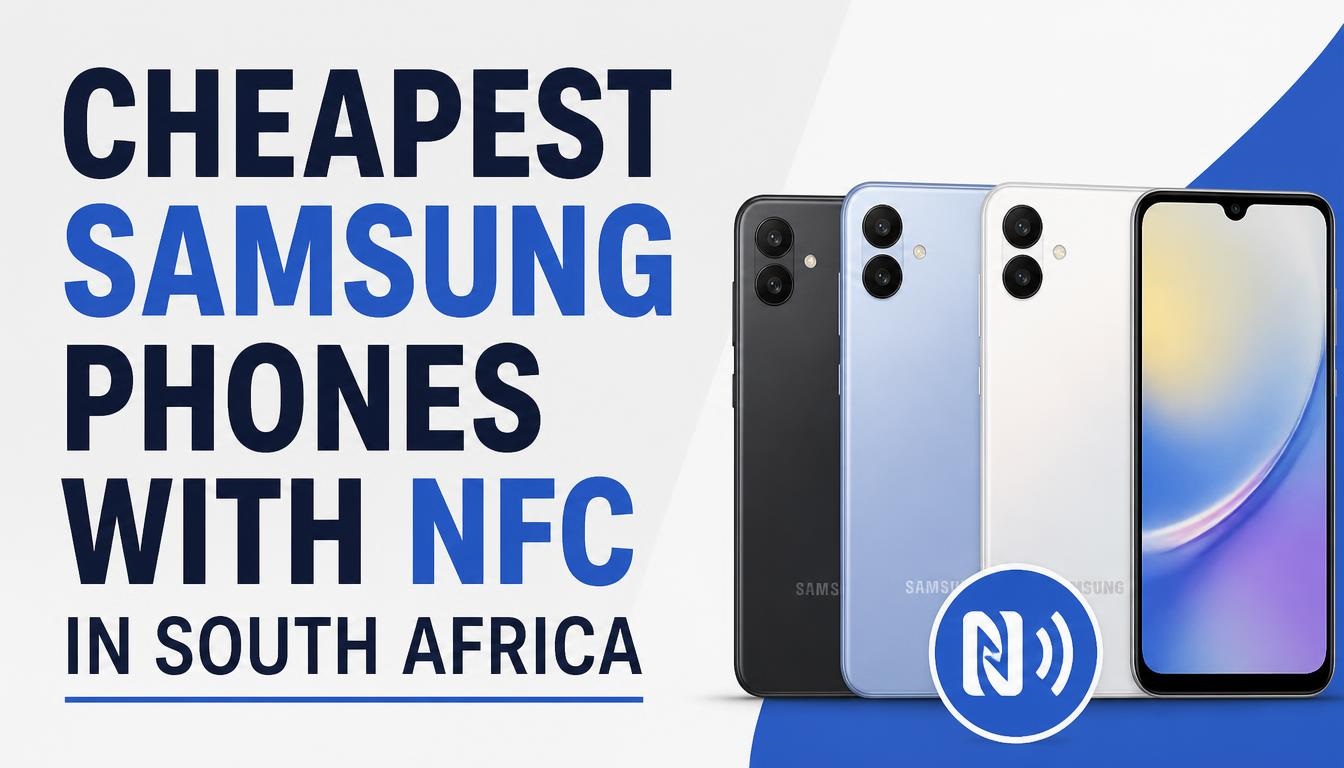
Standing at a busy Checkers till with a queue behind you or rushing to tap through the Gautrain gates at Sandton station, holding up your phone only to realize it cannot make contactless payments, is an immensely frustrating experience. Thousands of South African smartphone buyers make the costly mistake of assuming every modern Samsung Galaxy phone includes Near Field Communication (NFC). They buy budget models like the Galaxy A05, A06, or A07, only to find out after opening the box that Samsung stripped out NFC hardware for the African regional variants.
Having hands-on experience testing South African mobile hardware across local networks including Vodacom, MTN, Telkom, and Cell C, we have benchmarked Samsung’s local budget offerings to identify which models actually support tap-to-pay functionality. This comprehensive guide cuts through confusing manufacturer spec sheets, highlights exact South African Rand (ZAR) retail prices, and pinpoints the absolute cheapest Samsung smartphones with genuine NFC support available in South Africa today.
Quick Answer / Key Takeaways
-
-
The Absolute Cheapest Current Samsung Phone with NFC: The Samsung Galaxy A16 is currently South Africa’s most affordable new Samsung smartphone featuring full NFC support, starting at approximately R2,999 to R3,299.
-
The Best Value Predecessor: The Samsung Galaxy A15 remains an outstanding choice if found on promotion or clearance, offering complete NFC capabilities and a Super AMOLED display for roughly R3,100 to R3,500.
-
Beware of Ultra-Budget Models: The Samsung Galaxy A05, A05s, A06, and A07 sold officially in South Africa DO NOT contain NFC hardware. Do not buy these devices if you require contactless payment features.
-
Banking App Compatibility: Samsung devices with NFC fully support Samsung Wallet, Google Wallet, and South African banking tap-to-pay features across Capitec, FNB, Standard Bank, Nedbank, Absa, and Discovery Bank.
-
Why NFC Matters for South African Smartphone Users
Near Field Communication (NFC) has transitioned from a high-end luxury feature to an essential everyday utility in South Africa. NFC enables two electronic devices to establish wireless communication over a short distance, typically 4 centimeters or less. In Mzansi, this technology powers several critical daily routines:
1. Contactless Bank Card Emulation
With major South African banks pushing digital wallets, NFC allows your phone to replace physical Visa or Mastercard credit and debit cards. Whether paying at Woolworths, Pick n Pay, Shoprite, or local coffee shops, tapping your phone against an Ingenico or Yoco point-of-sale terminal eliminates the need to carry physical cards.
2. Public Transit and Gautrain Commuting
Commuters using the Gautrain network in Gauteng can tap in and tap out at station turnstiles directly using an NFC-enabled smartphone linked to Samsung Wallet or Google Wallet, skipping ticket vending machine queues entirely.
3. Banking App Security and Tap-to-Pay Integration
Local banking applications—including FNB Tap to Pay, Capitec Pay, Standard Bank Shyft, Nedbank Money, and Absa Mobile Banking—require native hardware-level NFC support to tokenise your card details safely within the phone’s secure element.
The Great South African Samsung NFC Trap: Regional Hardware Differences
A major source of confusion among South African consumers is that international tech reviews often state that budget Samsung phones feature NFC. However, Samsung customizes hardware specifications based on geographical regions to keep retail prices down.
In European and North American markets, budget models like the Galaxy A05s or A06 might include NFC. But for the Sub-Saharan Africa regional variants (identifiable by specific model numbers ending in /DS or /AFA), Samsung routinely removes the NFC coil on its lowest-tier A0-series models to lower import tariffs and final retail shelf pricing.
Models Sold in South Africa WITHOUT NFC
-
Samsung Galaxy A05 & A05s: No NFC support in SA regional models.
-
Samsung Galaxy A06: No NFC support in SA regional models.
-
Samsung Galaxy A07: No NFC support in SA regional models.
-
Samsung Galaxy Core & A03 Series: No NFC support.
If tap-to-pay is a priority, you must start your search at the Galaxy A1-series (A14, A15, A16) or higher.
Top Cheapest Samsung Phones with NFC in South Africa
Below is a detailed breakdown of the cheapest Samsung Galaxy smartphones currently available in South Africa that feature guaranteed, hardware-verified NFC functionality.
1. Samsung Galaxy A16 (4G / 5G) – The Official Budget NFC Winner
-
Average Retail Price: R2,999 – R3,299 (128GB Storage / 4GB RAM)
-
NFC Status: Guaranteed Hardware Support (SA Region)
-
Key Strengths: 6.7-inch Super AMOLED Display (90Hz), 6 Years of OS & Security Updates, IP54 Water/Dust Resistance
The Samsung Galaxy A16 is officially the most affordable current-generation Samsung smartphone in South Africa equipped with a functional NFC chip. Launched as the successor to the wildly popular A15, the A16 offers a massive upgrade in long-term usability.
Samsung has committed to providing 6 full years of Android OS upgrades and security patches for the Galaxy A16. This means your banking apps will remain fully secure and supported until 2030. Combined with a bright 6.7-inch Full HD+ Super AMOLED panel and a dependable 5,000 mAh battery, the A16 represents the absolute sweet spot for budget-conscious buyers who want contactless payments without sacrificing longevity.
2. Samsung Galaxy A15 (4G / 5G) – The Reliable Value Alternative
-
-
Average Retail Price: R3,100 – R3,699 (128GB Storage / 4GB RAM)
-
NFC Status: Guaranteed Hardware Support (SA Region)
-
Key Strengths: Vibrant Super AMOLED Display, Great Battery Life, Proven Track Record
-
The Samsung Galaxy A15 was South Africa’s go-to budget NFC phone before the A16 released. While retailers like Takealot, Makro, and PEP are phasing out stock to make room for newer models, the A15 remains widely available.
Equipped with a crisp 6.5-inch Super AMOLED 90Hz display, MediaTek Helio G99 processor, and a triple 50 MP camera setup, the A15 handles Samsung Wallet and Google Pay flawlessly. If you catch this model on a clearance deal below R3,000, it represents phenomenal value.
3. Samsung Galaxy A14 (LTE / 5G) – Best Pre-Owned or Clearance Bargain
-
Average Retail Price: R2,400 – R2,800 (Clearance / Refurbished / Sealed Old Stock)
-
NFC Status: Model Dependent (Must verify specific SM-A145F/NFC variant)
-
Key Strengths: Lowest overall entry cost into the Samsung ecosystem with NFC.
The Samsung Galaxy A14 introduced NFC to Samsung’s entry-level lineup in previous retail cycles. While officially replaced by the A15 and A16, brand-new sealed units or certified refurbished models frequently pop up on platform outlets like Takealot Unboxed, Bob Shop, or cash converter stores across South Africa for around R2,500.
Crucial Buyer Note: When buying an A14, always verify that the box explicitly lists NFC or check the exact model number in system settings, as a small batch of non-NFC A14 units entered grey markets in Southern Africa.
4. Samsung Galaxy A25 5G – The Mid-Range Performance Upgrade
-
Average Retail Price: R4,499 – R4,999
-
NFC Status: Guaranteed Hardware Support
-
Key Strengths: 120Hz Super AMOLED Display, Optical Image Stabilization (OIS) Camera, Exynos 1280 5G Chipset
For users with a slightly higher budget who want faster 5G connectivity, smoother scrolling, and superior camera stability alongside full NFC tap-to-pay capabilities, the Galaxy A25 5G is a compelling step up. It bridges the gap between budget entry devices and premium mid-rangers like the Galaxy A35 and A55.
Detailed Comparison Tables for South African Buyers
To help you quickly evaluate your options, the tables below break down pricing, NFC support status, and key hardware specifications across Samsung’s budget Galaxy A-series lineup in South Africa.
Table 1: Samsung Galaxy A-Series NFC Compatibility & SA Price Matrix
| Samsung Model | Official NFC Support (SA Region) | Typical SA Retail Price (ZAR) | Primary Target Audience |
| Galaxy A05 / A05s | NO NFC | R1,499 – R1,999 | Basic callers, WhatsApp, light browsing (No tap-to-pay) |
| Galaxy A06 | NO NFC | R1,899 – R1,999 | Ultra-budget users seeking large display (No tap-to-pay) |
| Galaxy A07 | NO NFC | R2,299 – R2,499 | Entry-level users prioritizing battery life (No tap-to-pay) |
| Galaxy A14 | YES (Verify Variant) | R2,400 – R2,800 (Clearance) | Budget shoppers buying refurbished or older stock |
| Galaxy A16 | YES (Guaranteed) | R2,999 – R3,299 | Best Overall: Cheapest new Samsung with full NFC |
| Galaxy A15 | YES (Guaranteed) | R3,100 – R3,699 | High-value alternative with Super AMOLED display |
| Galaxy A25 5G | YES (Guaranteed) | R4,499 – R4,999 | Mid-range buyers wanting 5G, 120Hz screen, and OIS camera |
Table 2: Feature & Hardware Specs Comparison (NFC-Enabled Budget Models)
| Hardware Specification | Galaxy A14 (4G) | Galaxy A15 (4G) | Galaxy A16 (4G/5G) | Galaxy A25 5G |
| Display Type | PLS LCD (60Hz / 90Hz) | Super AMOLED (90Hz) | Super AMOLED (90Hz) | Super AMOLED (120Hz) |
| Screen Size | 6.6 inches | 6.5 inches | 6.7 inches | 6.5 inches |
| Processor | MediaTek Helio G80 | MediaTek Helio G99 | MediaTek Dimensity 6300 / Exynos | Exynos 1280 (5G) |
| RAM & Storage | 4GB / 64GB or 128GB | 4GB / 128GB | 4GB / 128GB | 6GB / 128GB |
| Main Camera | 50 MP Main (No OIS) | 50 MP Main (No OIS) | 50 MP Main (No OIS) | 50 MP Main (With OIS) |
| Battery & Charging | 5,000 mAh (15W) | 5,000 mAh (25W) | 5,000 mAh (25W) | 5,000 mAh (25W) |
| Software Support | 2 OS Upgrades | 4 OS Upgrades | 6 OS Upgrades | 4 OS Upgrades |
| NFC & Tap-to-Pay | Supported | Supported | Supported | Supported |
How to Set Up and Use NFC Payments on Samsung in South Africa
Once you purchase a Samsung phone with NFC support, setting up contactless payments takes only a few minutes. Here is the step-by-step process tailored for South African banking platforms:
Step 1: Enable NFC Hardware
-
Swipe down from the top of your screen to open the Quick Settings Panel.
-
Tap the NFC icon to toggle it on. (If the NFC icon is completely missing from your Quick Settings layout and cannot be added via edit buttons, your phone model does not have NFC hardware built in).
-
Alternatively, open Settings, tap Connections, and toggle NFC and contactless payments to On.
Step 2: Choose Your Digital Wallet Platform
South African users have two major secure wallet ecosystems available on Android:
Option A: Samsung Wallet (Formerly Samsung Pay)
-
Download or open Samsung Wallet from the Galaxy Store or Google Play Store.
-
Sign in with your registered Samsung Account.
-
Authenticate your identity using fingerprint recognition or a secure PIN.
-
Tap Add Card, align your South African bank card within the camera frame, and enter the CVV code.
-
Complete verification via an SMS OTP sent by your bank (Supported by Absa, Capitec, Discovery Bank, FNB, Nedbank, and Standard Bank).
Option B: Google Wallet
-
Download Google Wallet from the Google Play Store.
-
Sign in with your primary Google Account.
-
Tap Add to Wallet, select Payment Card, and follow the on-screen prompts to scan your bank card.
-
Verify via your bank’s mobile app or SMS OTP.
Step 3: Making a Transaction at the Till
-
Ensure your phone is unlocked (or wake the screen if configured for default quick-access).
-
Hold the back of your Samsung phone against the top or display area of the card machine.
-
Wait for the tick mark or vibration confirmation on your phone screen indicating successful payment processing.
How to Check If Your Current Samsung Phone Has NFC
If you already own a Samsung phone and want to check whether it supports tap-to-pay before shopping for a replacement, use these three simple verification methods:
Method 1: Settings Menu Search
-
Open the Settings app on your phone.
-
Tap the Search icon (magnifying glass) in the top-right corner.
-
Type NFC.
-
If a menu option titled NFC and contactless payments appears, your phone has hardware NFC. If the search yields no results, your device lacks NFC.
Method 2: Inspecting the Model Code
Check the regulatory text printed on the back bottom glass of your phone or go to Settings > About Phone.
-
Models starting with SM-A165, SM-A166, SM-A155, SM-A156, or SM-A256 include NFC.
-
Models starting with SM-A055, SM-A057, SM-A065, or SM-A075 do not include NFC in the South African region.
Where to Buy Cheap NFC Samsung Phones in South Africa
Finding the best deal on a budget NFC smartphone requires comparing local South African retailers and mobile operators. Prices vary depending on cash sales, lay-by options, or contract deals.
Top Retail Outlets for Cash Purchases
-
Takealot.com: Excellent for competitive daily pricing on the Galaxy A16 and A15, frequent coupon codes, and reliable nationwide delivery.
-
Makro & Game (Massmart Group): Ideal for bulk electronics shopping, regular weekend promotions, and extended warranty options.
-
PEP Cellular & Ackermans: Great for affordable cash purchases, though stock is often heavily weighted toward non-NFC A0-series devices. Always double-check box labels for the A16 or A15 when shopping here.
-
Incredible Connection & HiFi Corp: Best for technical advice, hands-on store demos, and official local Samsung warranty backing.
Contract and Network Options (Vodacom, MTN, Telkom)
If you prefer paying monthly rather than upfront cash, the Galaxy A16 is widely available on 24-month or 36-month contracts:
-
Vodacom: Frequently offers the Galaxy A16 bundled with top-up data and voice minutes starting from roughly R179 to R219 per month.
-
MTN: Offers competitive MegaFlex contract deals with inclusive data allocations.
-
Telkom Mobile: Offers low-cost monthly hardware fees, making it one of the cheapest ways to acquire an NFC phone on contract.
Frequently Asked Questions (FAQs)
Can I install NFC on a Samsung phone via a software update or app?
No. NFC requires a physical induction coil antenna built directly inside the phone’s internal hardware structure. If your device was manufactured without an NFC chip (such as the Galaxy A05 or A06), no app, software update, or external case can add NFC functionality.
Does Capitec Pay work on the Samsung Galaxy A16?
Yes! The Capitec banking app’s tap-to-pay feature works seamlessly on the Samsung Galaxy A16, provided you enable NFC in your device settings and register your card within the Capitec app.
Is tap-to-pay safe if my phone gets lost or stolen?
Tap-to-pay on Samsung smartphones is significantly safer than carrying a physical bank card. Transactions require biometric authentication (fingerprint scan or face unlock) or a device PIN. Furthermore, platforms like Samsung Wallet use tokenisation, meaning your actual 16-digit bank card number is never shared with the merchant or stored on the device.
Why did Samsung remove NFC from the Galaxy A05 and A06 in South Africa?
To achieve sub-R2,000 price points in emerging markets, manufacturers cut specific component costs. Removing the NFC chip, licensing fees, and extra internal shielding allows Samsung to offer lower retail prices for entry-level devices in South Africa.
Summary Recommendation for South African Buyers
If you are looking for the absolute cheapest way to get contactless payments, Gautrain tapping, and secure mobile banking on a brand-new Samsung device, buy the Samsung Galaxy A16. Priced around R2,999 to R3,299, it offers the perfect balance of modern display technology, long-term 6-year software support, and hardware-verified NFC functionality. Avoid the temptingly cheap Galaxy A05, A06, and A07 models if tap-to-pay is on your checklist, as you will end up disappointed by their lack of NFC support.
Have you made the mistake of buying a budget phone expecting NFC, only to find it missing? Which South African bank app or tap-to-pay service do you rely on most for your daily routine? Share your experiences and questions in the comments below!

Joseph Mathebula is a consumer tech analyst and market researcher at Prices in South Africa. He specializes in tracking smartphone prices and consumer electronics, helping everyday shoppers navigate the market to secure the best value.
Post Disclaimer
Prices and availability are subject to change without notice and may vary by store or region. pricesinsouthafrica.co.za is an independent informational platform; we do not sell products directly, nor are we responsible for third-party pricing errors.