Remember the sinking feeling when the lights flickered, the Wi-Fi dropped dead mid-download, and your Microsoft Teams call crashed right before a major client presentation? If you live anywhere in South Africa, that scenario used to be a daily ritual. Even with the grid stabilizing at times, power trips, cable theft, and sudden municipal maintenance mean that having a reliable backup plan for your home network is non-negotiable.
As a South African tech and smartphone specialist who has unboxed, tested, and stress-tested dozens of power solutions across Johannesburg, Cape Town, and Durban, I have learned one hard truth: you do not need a massive, loud, petrol-guzzling generator or an expensive trolley inverter just to keep your internet alive. What you actually need is a dedicated Mini-DC UPS for your router and fiber box.
Let us dive deep into the exact specifications, current local pricing, and real-world experiences to help you pick the right device, completely tailored to South African conditions.
Why a Standard PC UPS Fails for Routers
When power cuts first became a widespread crisis, many South Africans tried plugging their standard desktop UPS systems into their Wi-Fi routers. It seemed logical, right? Unfortunately, it is terribly inefficient.
Standard tower UPS systems use AC-to-DC-to-AC conversion. They take AC wall power, convert it to DC to store in heavy lead-acid batteries, and then invert it back to 240V AC power so you can plug your router’s normal wall brick into it. This process wastes a massive amount of energy through heat loss. A standard PC UPS might drain its own battery within an hour just powering the conversion inverter, even if your router pulls barely 10 watts.
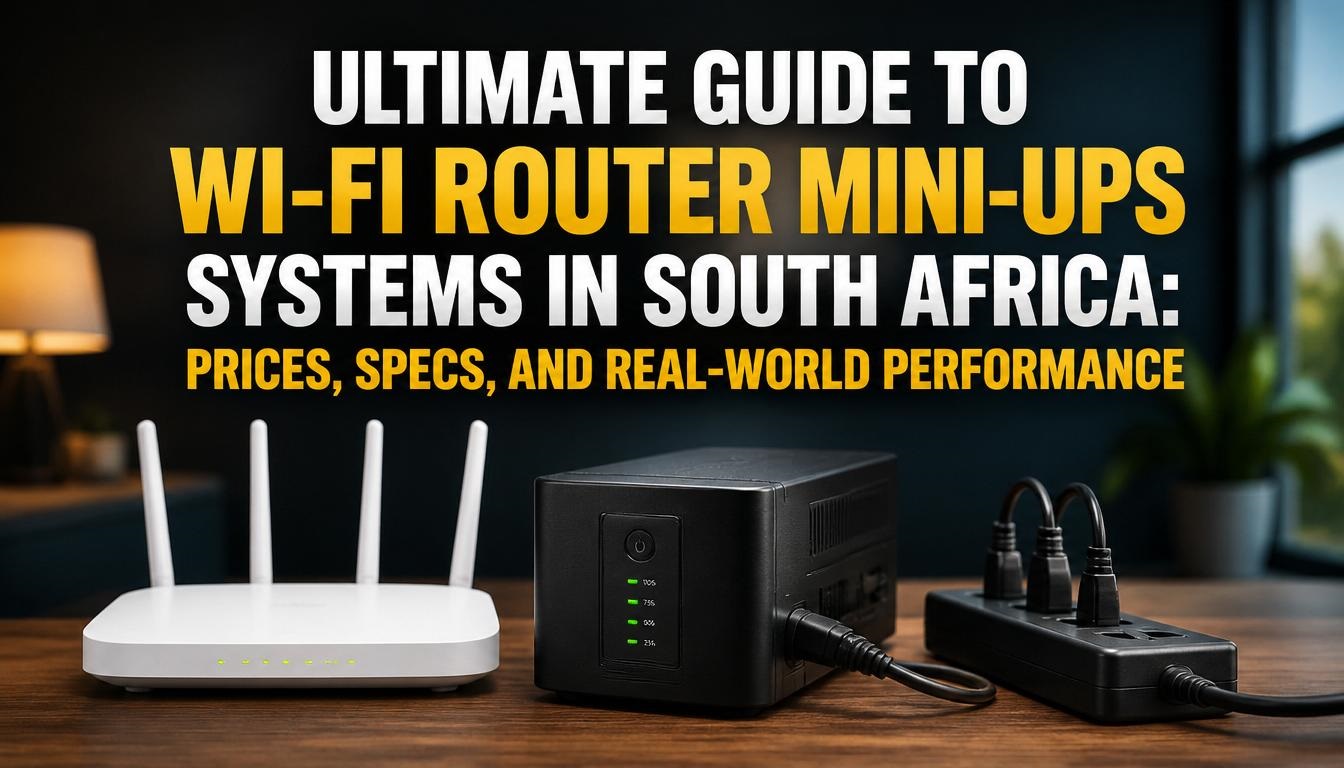
Mini-DC UPS units, on the other hand, connect directly from DC to DC. They sit inline between your wall socket and your network gear, passing clean low-voltage DC power straight to your router and fiber ONT (Optical Network Terminal). Because there is no energy-wasting inversion step, a small 30Wh lithium battery pack can easily keep your internet running for 4 to 8 hours straight.
Key Hardware Specs Explained for South African Buyers
Before looking at specific brands and prices, you need to understand what the jargon on the box actually means for your setup.
-
Watt-Hours (Wh) and Milliamp-hours (mAh): This dictates how long the unit will last. A standard 8800mAh or 30Wh unit will comfortably power a standard fibre router and ONT for about 3 to 5 hours. If you want something that survives back-to-back stages of outages or powers heavier dual-band mesh routers, look for 60W units ranging between 17,600mAh to 24,000mAh (roughly 65Wh to 75Wh).
-
Voltage Outputs: Most routers require 12V, but some fibre boxes (ONTs) require 9V, and certain specialized wireless CPE dishes require 24V or PoE (Power over Ethernet). Always check the grey sticker underneath your router and ONT to verify their exact voltage requirements before plugging them into a Mini-UPS.
-
Battery Chemistry: Traditional units use standard Lithium-ion (Li-ion) cells. However, premium options now feature LiFePO4 (Lithium Iron Phosphate) chemistry. LiFePO4 batteries offer significantly more charge cycles, handle high ambient temperatures better (crucial during hot South African summers), and boast superior safety profiles against thermal runaway.
Popular Mini-UPS Options and Current South African Pricing
Local tech retailers like Takealot, GeeWiz, Evetech, and Matrix Warehouse stock a wide array of options. The market spans from budget entries to heavy-duty multi-device power banks.
Comparison Table: Top Mini-UPS Models in South Africa
| Brand & Model | Battery Capacity | Output Specs | Ideal Use Case | Estimated Price Range |
| Gizzu 30W Mini DC UPS | 8800mAh / 32Wh | 5V, 9V, 12V DC, USB | Single fiber router + ONT backup | R399 – R599 |
| Elecstor ECO 18W / 38Wh | 12000mAh / 38Wh | Multi-voltage DC + USB | Entry-level budget home internet | R499 – R776 |
| Volkano Constant Series | Standard 10400mAh tier | Dual network output + USB | Dual device backup + phone charge | R699 – R899 |
| Gizzu 60W PoE / DC UPS | 17600mAh / 65Wh | 12V, PoE ports, high output | Heavy-duty routers, mesh setups, CCTV | R899 – R1,235 |
| GeeWiz LiFePO4 Mini UPS | 24000mAh / 75Wh | 12V, 9V, multiple outputs | Long-term durability and heavy loads | R950 – R1,295 |
Real-World Experience: Setting Up Your Mini-UPS
When I installed my first Gizzu unit at home in my study, I made a classic rookie mistake: I assumed all splitter cables were identical.
Many Mini-UPS packages come with a dual-output splitter cable, allowing you to plug both your fiber ONT box and your Wi-Fi router into the single output port of the UPS. However, you must match the barrel plug sizes (usually standard 5.5mm x 2.5mm or 2.1mm) carefully. If you force the wrong connector, you risk damaging the power socket of your network hardware.
Another practical tip learned from field experience: Label your cables. During a sudden blackout, trying to trace which black wire goes to the router versus the fiber box inside a messy entertainment cabinet is frustrating. Use a piece of masking tape to label them clearly.
Furthermore, place your Mini-UPS in a well-ventilated area. While lithium batteries are remarkably stable, constant trickle-charging inside a hot, enclosed media cupboard can degrade the internal battery health prematurely over time.
Maximizing the Lifespan of Your Router UPS
Lithium battery cells degrade naturally over years of charge and discharge cycles, but you can stretch the lifespan of your Mini-UPS significantly by following these maintenance steps:
-
Avoid Total Depth of Discharge: While internal protection circuits prevent complete cell ruin, letting the unit run flat day after day shortens its overall lifespan. If you live in an area prone to extraordinarily long outages, consider upgrading to a higher-capacity 65Wh or 75Wh model so the battery never exhausts its entire pool.
-
Perform a Quarterly Manual Test: Once every few months, switch off the mains wall plug supplying your Mini-UPS and let your network run on battery power for an hour. This ensures the chemical composition stays active and prevents sudden voltage dropouts when a real emergency strikes.
-
Check for Swelling: If you notice the plastic casing of your budget Mini-UPS starting to bulge or warp, disconnect it immediately. A swelling battery indicates internal cell failure and presents a safety hazard.
Making Your Final Choice
Selecting the correct backup power supply depends entirely on what you are trying to keep online. If you are a casual user who just wants to check WhatsApp and scroll social media during an outage, an entry-level 30W Gizzu or Elecstor unit will serve you brilliantly without breaking the bank.
However, if you work remotely from home, run smart home security cameras, or rely on a demanding multi-node mesh Wi-Fi system, spending a little extra on a 60W or a 75Wh LiFePO4 variant is a worthwhile investment in your productivity and peace of mind.
Join the Discussion
What has your experience been with internet stability during power outages in your neighborhood? Are you currently using a basic 30W Mini-UPS, or have you upgraded to a larger lithium iron phosphate system? Drop a comment below with your setup or any questions about connector compatibility, and let’s compare notes!

Joseph Mathebula is a consumer analyst and market researcher at Prices in South Africa. He specializes in tracking local service costs, retail pricing, and travel budgets, helping everyday shoppers navigate the market to secure the best value.